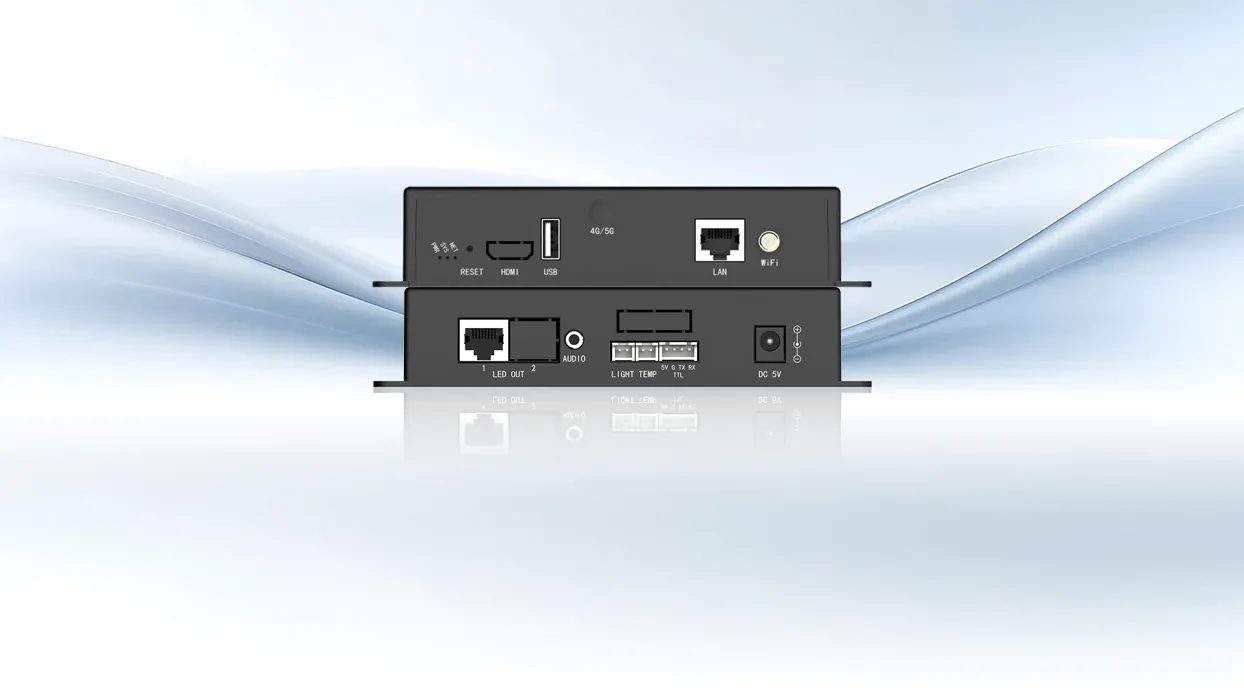
Between a finished media file and a professional display lies a set of jobs that ordinary storage cannot perform by itself. The file must be decoded, placed on a canvas, scheduled, delivered through the correct output, and kept available when no operator is present. A Multimedia Player is the device that performs some or all of those jobs, often combining local playback with networking and display control.
The Device’s Place in the Signal Chain
At its simplest, a player reads stored content, decodes video, images, audio, or text, and produces a display-ready signal. Professional units add functions such as multiple content windows, portrait rotation, timed playlists, remote updates, and status reporting.
An LED-oriented Multimedia Player may also incorporate a sending-card function so that decoded content can enter the LED control chain without a separate playback computer. That role differs from passive storage and from a video processor. A drive holds data but does not schedule or render it.
A processor scales, switches, or composes incoming signals but may not store and originate a campaign. A media server can overlap with the player’s role, yet it is usually designed for heavier real-time rendering, live inputs, larger layer counts, or synchronized show control.
Conditions That Make Dedicated Playback Useful
A professional display needs a Multimedia Player when it must operate independently of a continuously connected computer. Retail screens that run timed campaigns, information displays that restart unattended, and LED signs that receive updates over a network are common examples.
The device stores the approved program locally, so routine playback can continue even if the management connection is temporarily unavailable. A documented restart state and local cache are especially valuable where staff cannot immediately reach the display after a power or network interruption. Dedicated hardware is also useful when content must be governed across many locations.
Central publishing, user permissions, terminal grouping, and playback monitoring convert separate screens into an administered fleet. The benefit is not merely convenience: a defined player creates a stable boundary between content operations and the display hardware, making updates and fault isolation more consistent.
Architecture Depends on the Display Endpoint
An HDMI-based Multimedia Player can feed an LCD, projector, or downstream video processor. An LED-integrated player may output data to receiving cards, and an all-in-one card may connect directly to LED modules. These arrangements should not be treated as interchangeable.
Pixel load, maximum width and height, receiving-card topology, and the need for live external input determine which structure fits. A playback terminal and sending function share one chassis in Kystar‘s Pandora KD1 and KD2. KD1 supports quick switching between synchronous external input and asynchronous stored playback, along with H.264/H.265 4K@60Hz hardware decoding.
The KD series adds synchronous/asynchronous operation, HDMI 2.0 output, dual HDMI input, screen casting, device cloning, and cascade options. These features suit installations that need local media yet sometimes present a live source.
An All-in-One Path for Direct LED Connection
Another design moves more of the LED chain into one board. Kystar KPB12 integrates sending, receiving, and playback functions and includes 12 HUB-75E interfaces for direct module connection. This Multimedia Player architecture provides 8GB of onboard storage with USB expansion and can play up to five high-definition video streams simultaneously.
It can directly drive up to 200,000 pixels or work with Kystar receiving cards for a total load up to 600,000 pixels. Such integration can reduce device count in compact LED products, but the capacity and service model must match the project. A modular chain may still be preferable when screens are larger, interfaces are distributed, or individual components need to be replaced independently.
Management Completes the Professional Workflow
Content creation and distribution determine whether the player remains usable after installation. Program editing is handled through Kystar PE and Pandora tools, with USB, Ethernet, Wi-Fi, and optional mobile networks serving as alternative content-delivery routes.
Kares Cloud adds remote publishing, terminal monitoring, multi-user authorization, playlist scheduling, batch commands, and breakpoint resumption for distributed displays. These control functions sit above the playback engine. They do not change codec or pixel limits, but they let an organization decide who can publish, when programs run, and how faults are observed.
A local-only screen may not need that layer; a multi-site estate often does. Lifecycle and security requirements can be decisive even when playback demands are modest. The installation team needs a controlled way to update firmware, replace a failed unit, restore its program, and prevent unauthorized publishing.
A device shared by several departments benefits from role-based access, while a single offline sign may instead prioritize a documented USB recovery package. Network segmentation and password management belong to the site’s IT policy, not to the video specification alone.
Defining those responsibilities avoids a common gap in which the display contractor assumes that IT manages the endpoint and IT assumes that the player is an appliance requiring no maintenance. The practical test is whether the display requires autonomous playback, scheduled content, remote administration, or an integrated LED output path.
If none of those conditions exists, a direct live source may be sufficient. If several are present, a Multimedia Player gives the system a defined origin for content and a repeatable operating workflow. Kystar illustrates how that role can range from HDMI playback to sending-card integration and direct LED-module control without turning every project into the same hardware design.
